Your team is already here
Everyone you've hired, their roles, pay rates and PINs are already in Premier. There's no second staff list to build, and nothing to keep in step when someone joins or leaves.
WHY SWITCH TO PREMIER WORKFORCE
A separate scheduling app means a second staff list, a second time clock and tips that live somewhere else. Premier Workforce is built into your POS, so the schedule, the clock and the tips already know your team.
THE STAFF APP
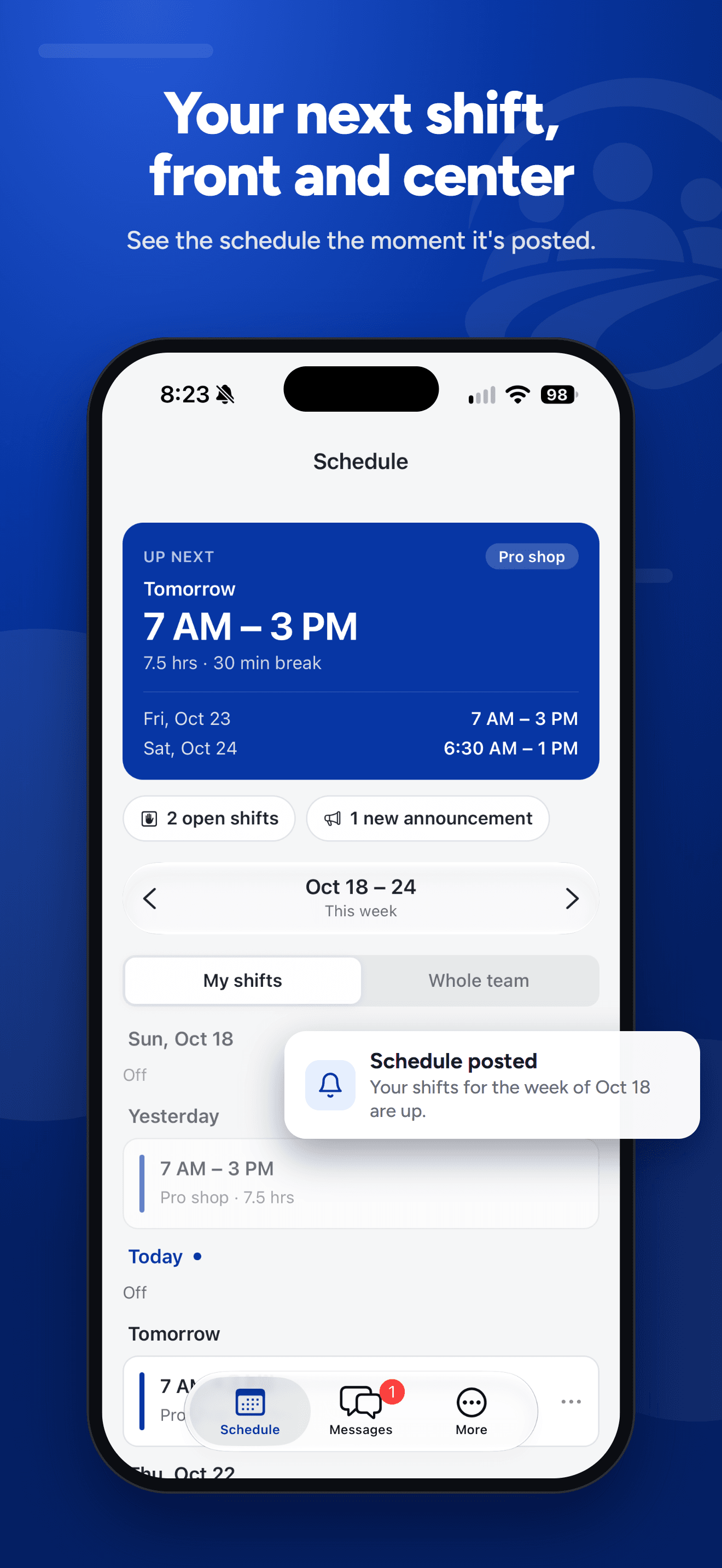
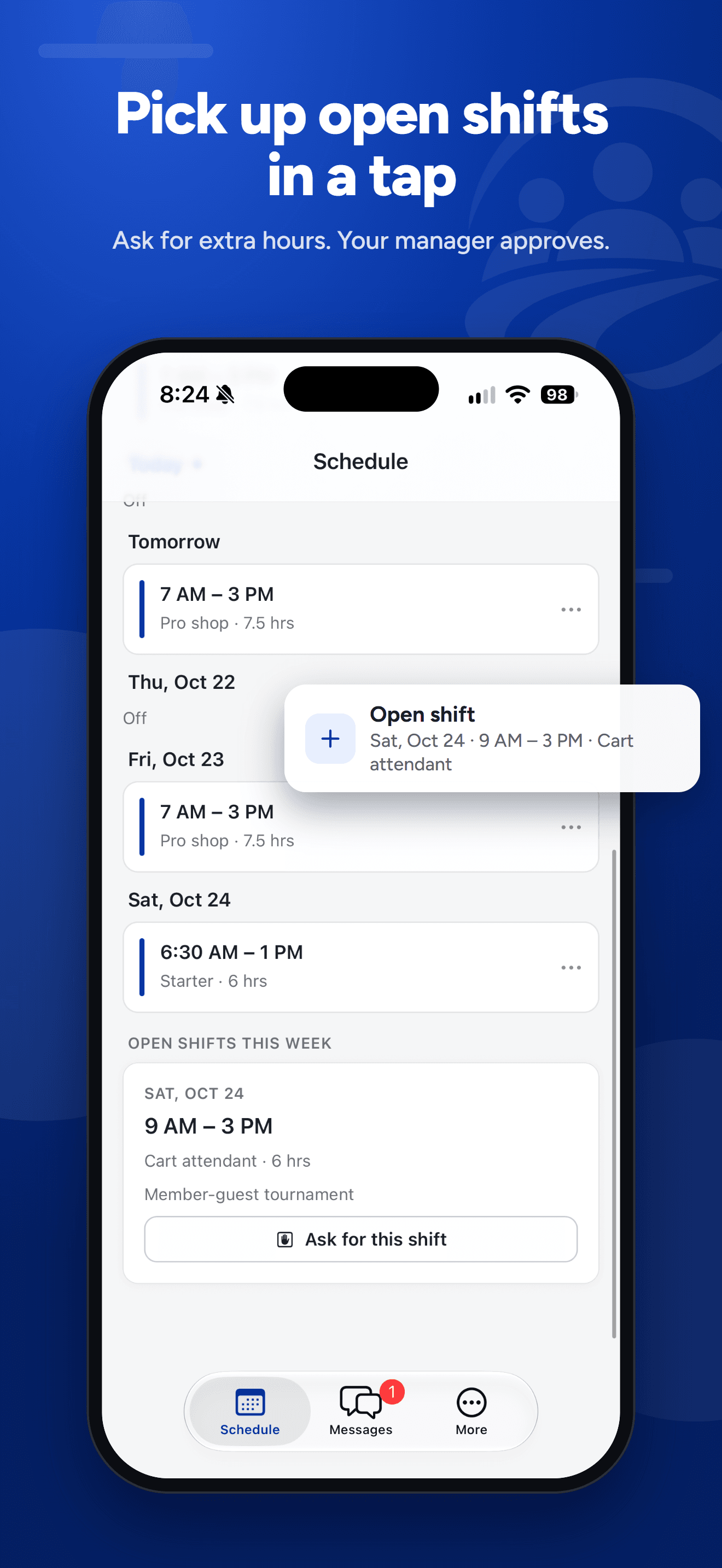
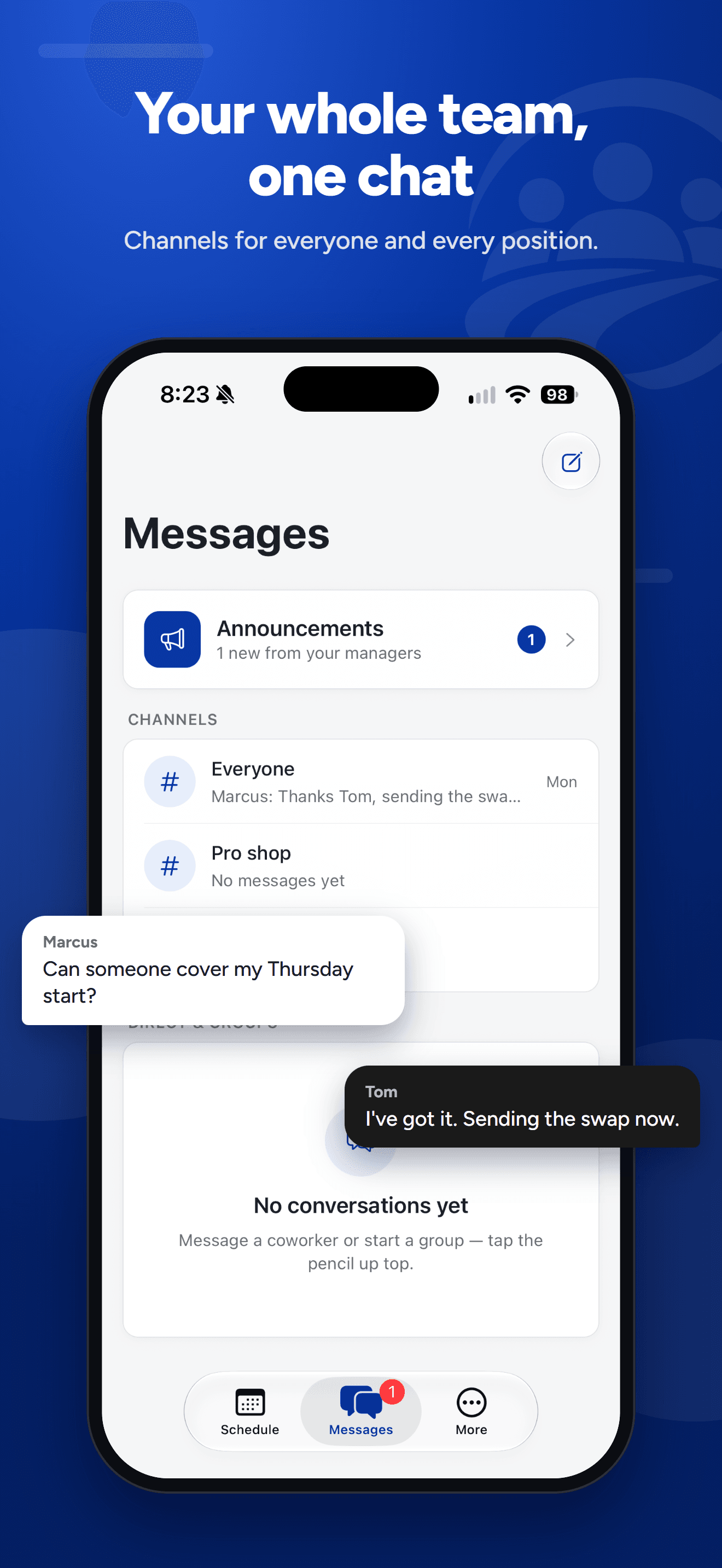
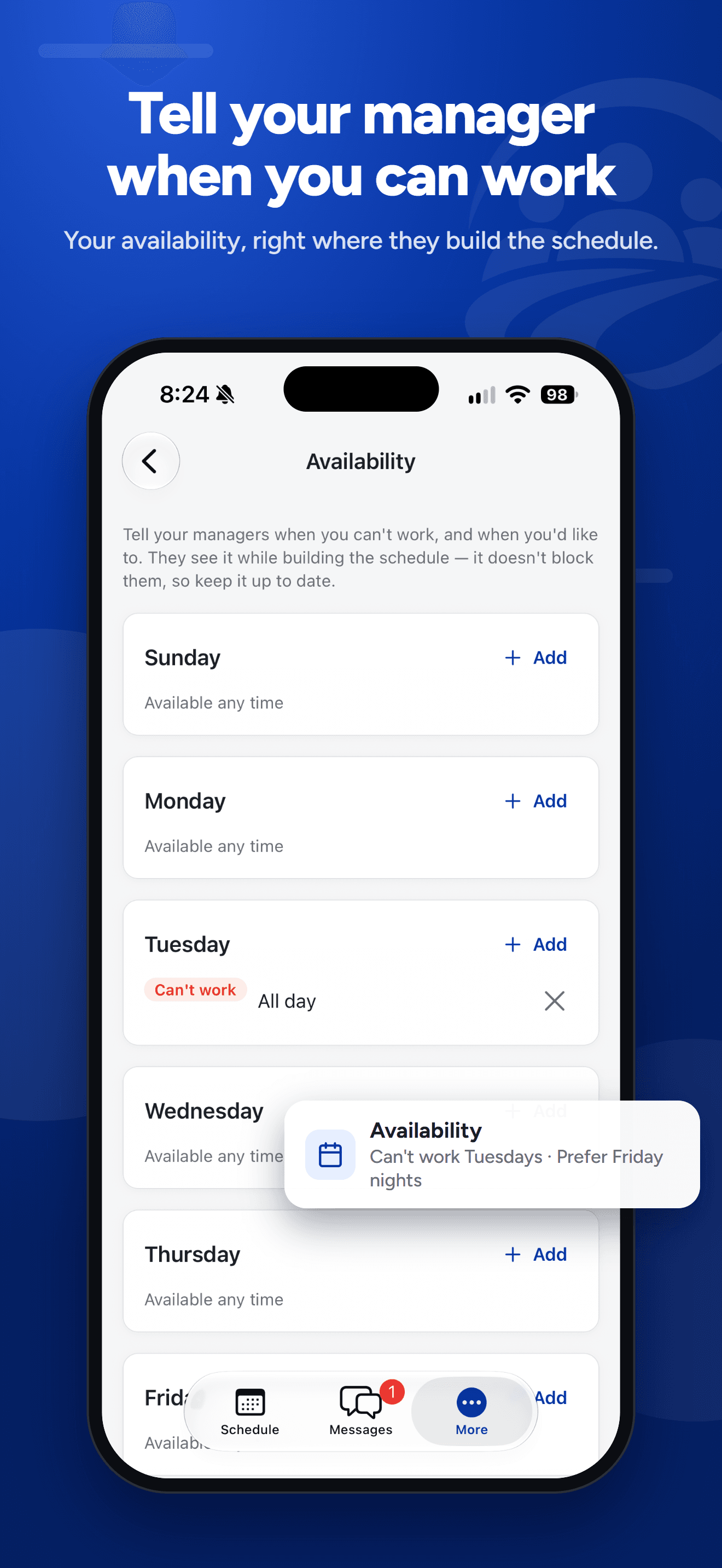
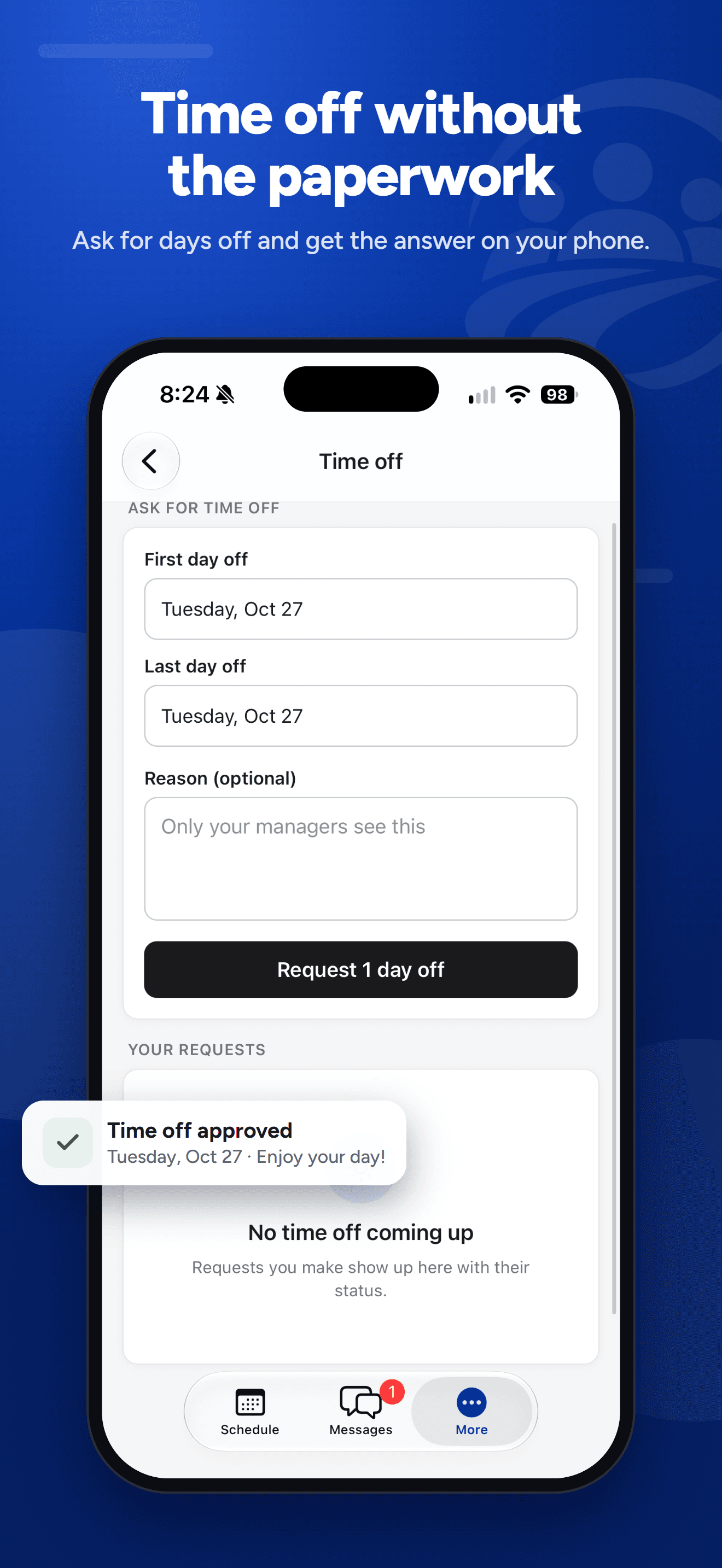
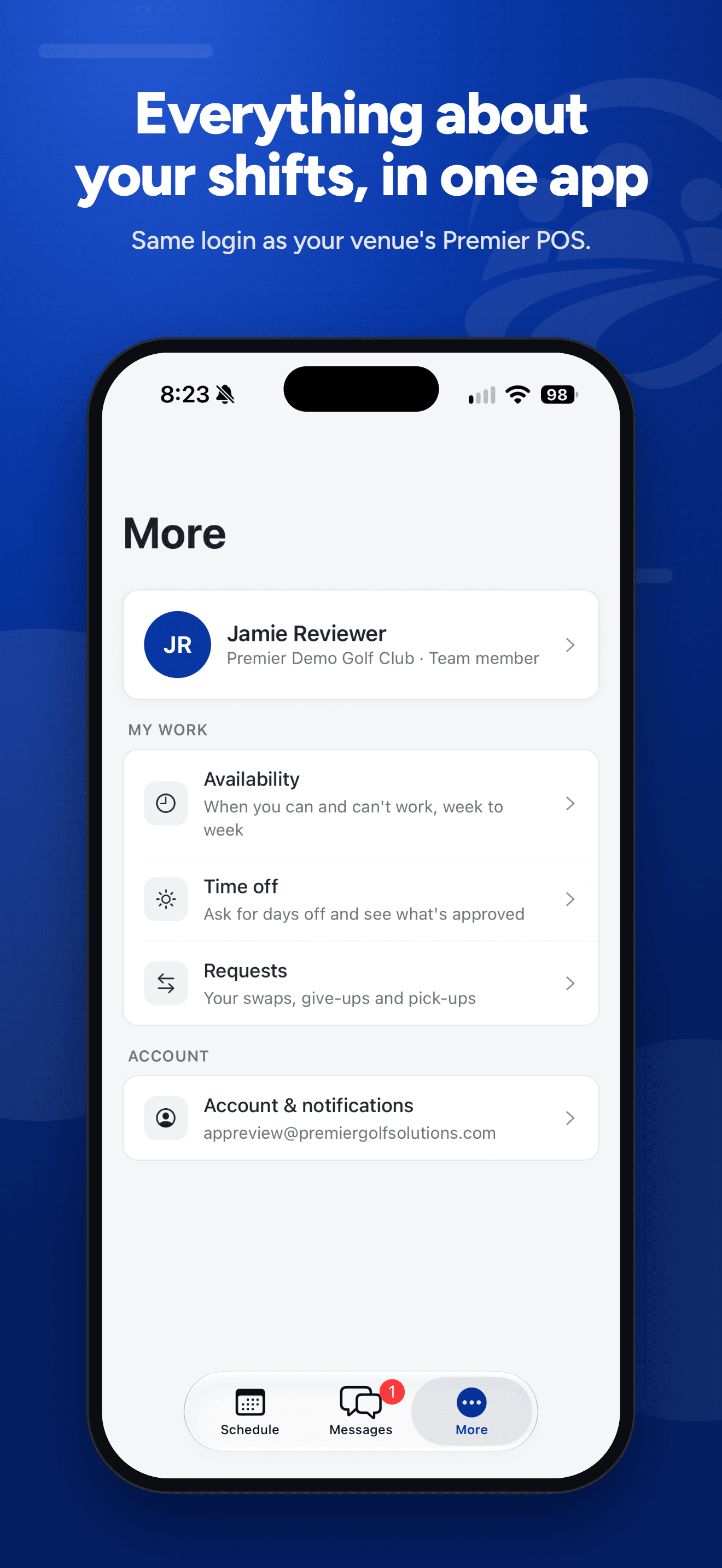
Premier Workforce on iPhone and Android. Staff see their shifts, pick up open ones, set availability, ask for time off and talk to the team, with the same login they use for Premier.
HOW MANAGERS SCHEDULE
Managers build the schedule on the website, by role or by person. Here’s a week at a sample restaurant.
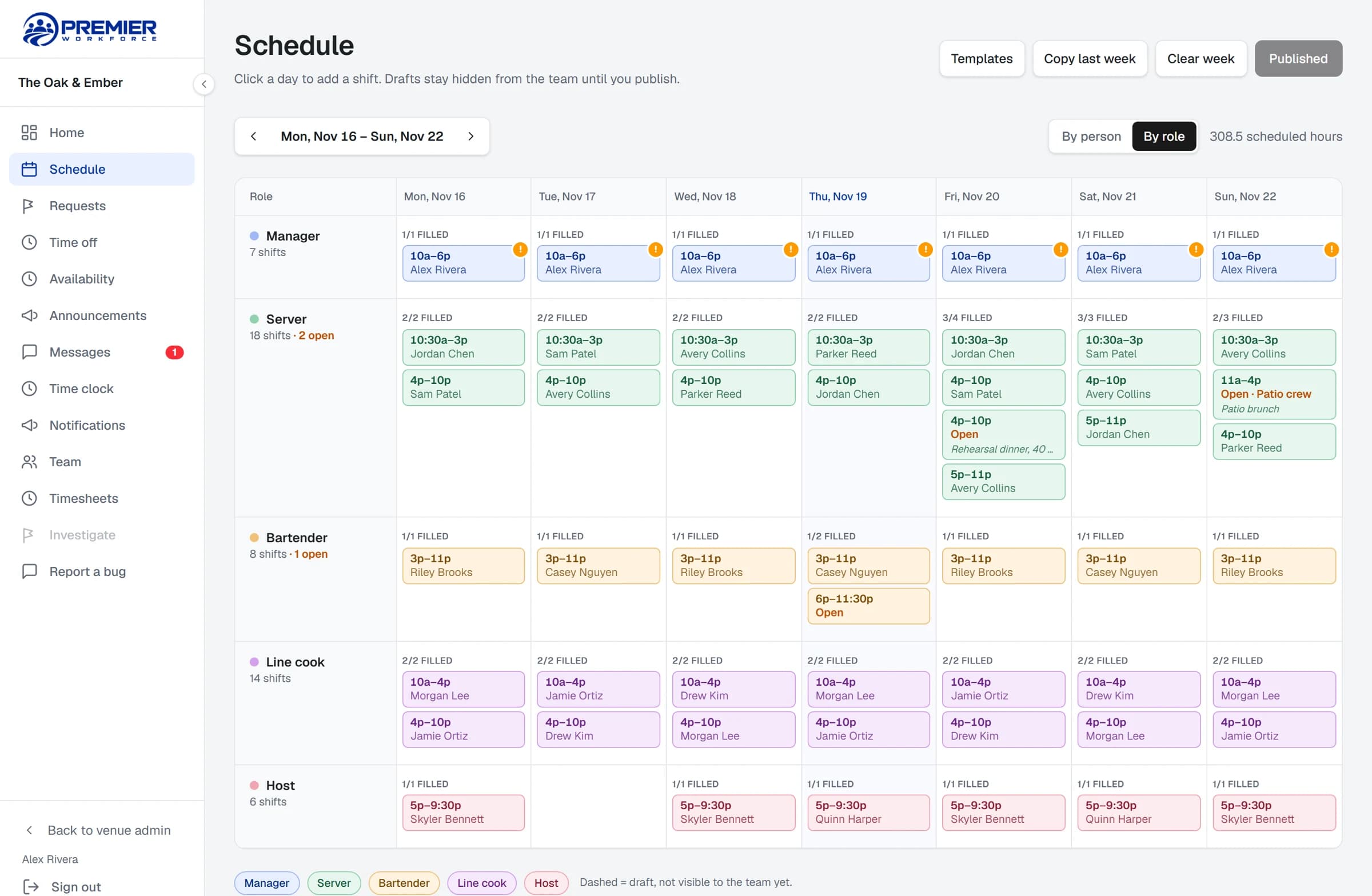
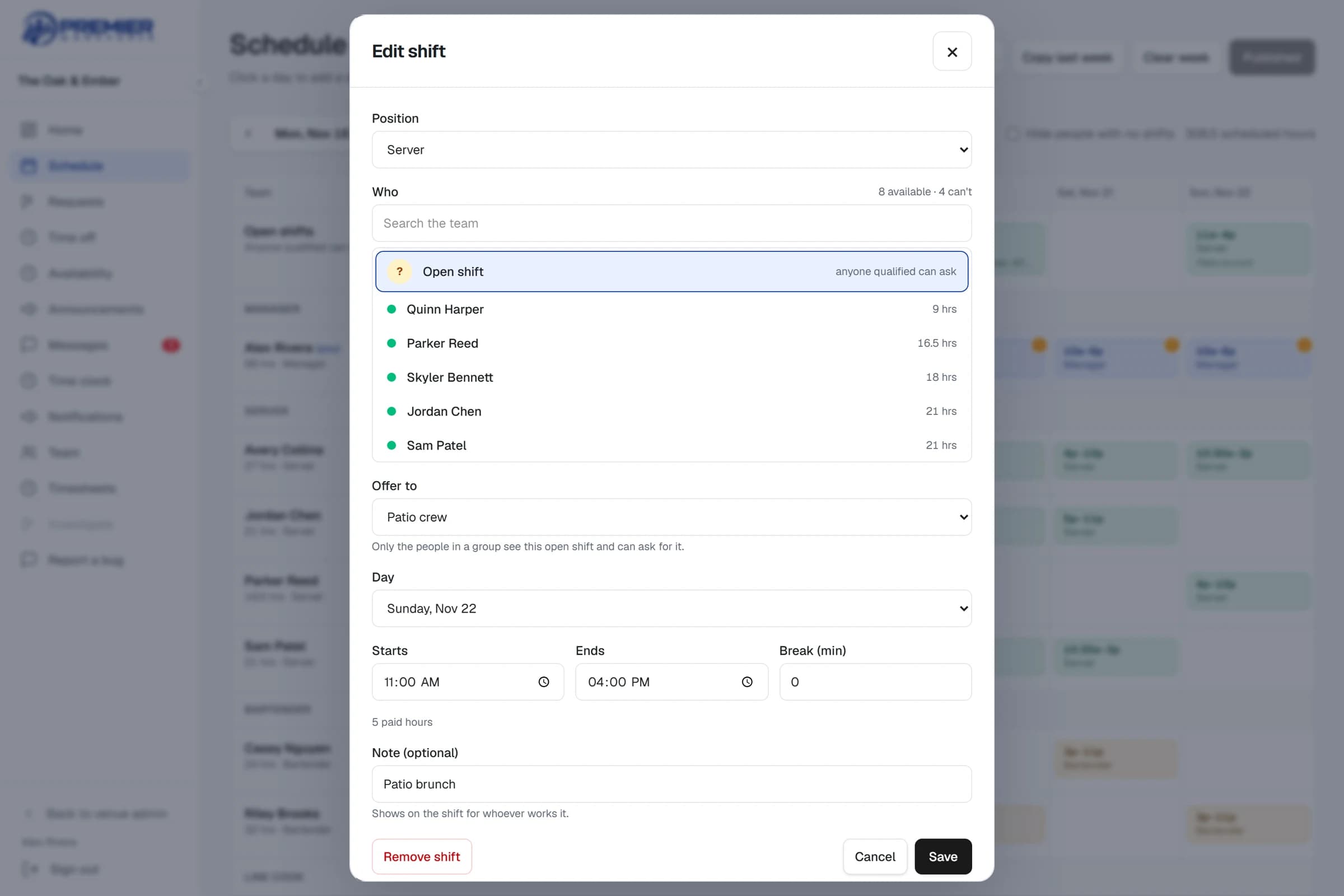
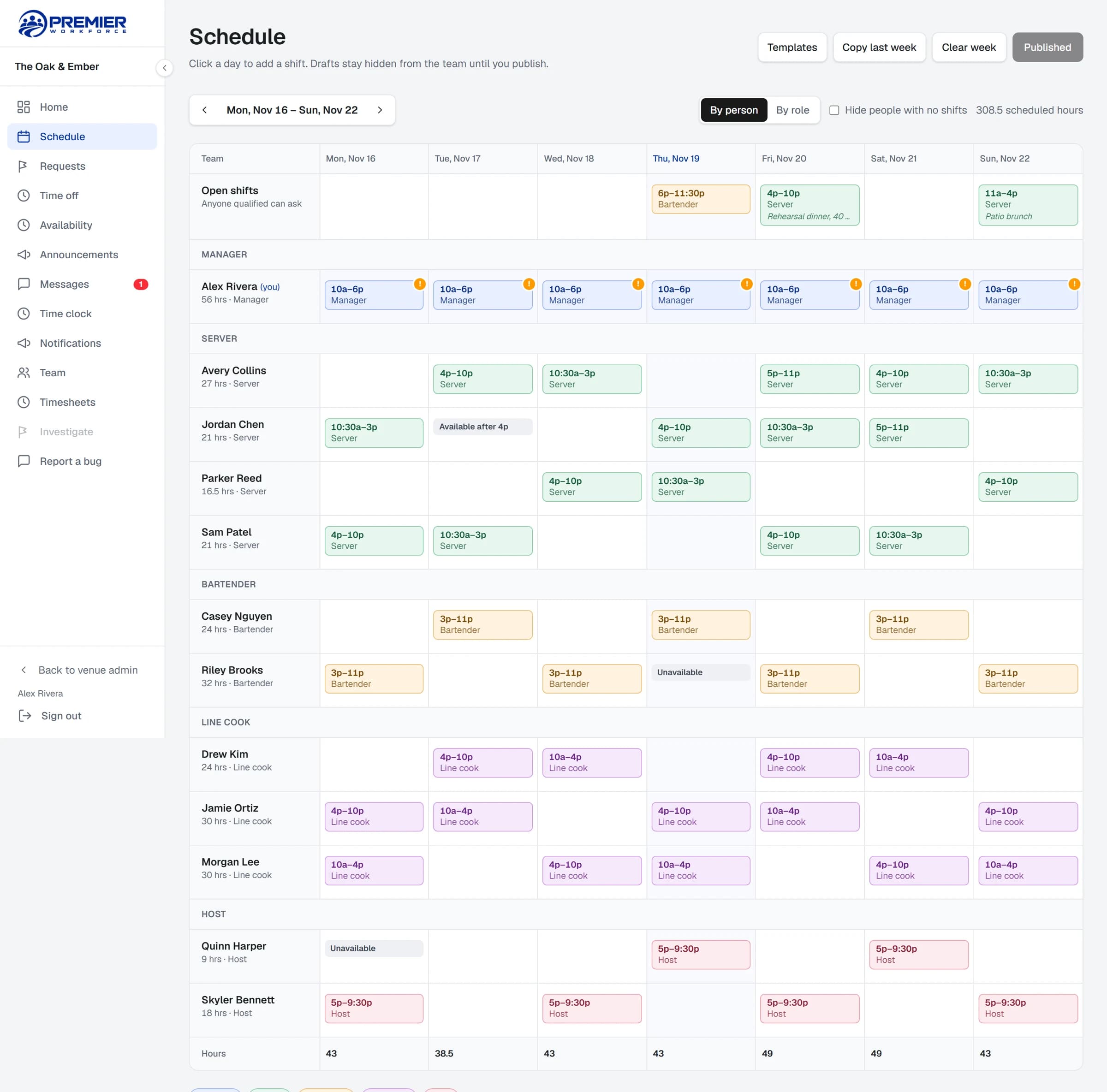
Tap a day to add a shift, copy last week, or start from a template.
See availability, time off and hours as you go. Warnings never block you.
Only the people whose shifts changed are told, by app, text or email.
SIX REASONS
What changes when your scheduling lives in the same system as your tills, your staff and your tips.
Everyone you've hired, their roles, pay rates and PINs are already in Premier. There's no second staff list to build, and nothing to keep in step when someone joins or leaves.
A shift and the punch against it live side by side. People clock in as the role they're scheduled for, missed clock-outs get chased, and fixes are recorded, without exporting from one app to another.
Card tips come from your own tabs, split by your rule, next to the hours. One export for payroll instead of reconciling a scheduling app against the POS.
An announcement shows up on the till when someone clocks in, so it reaches the person who never opens an app.
Shift groups for a crew, pickup-only staff, bonus pay by shift tag, a chat for whoever's working today, and phone clock-in for people who never pass a till.
The POS, the schedule and the time clock come from the same team. When something's off, there's one place to ask, and no finger-pointing between vendors.
SIDE BY SIDE
Premier Workforce next to running a separate scheduling app alongside your POS.
| PREMIER WORKFORCE | A SEPARATE SCHEDULING APP | |
|---|---|---|
| Staff list | The one already in your POS | A second list, kept in step by hand or by an integration |
| Hiring and letting go | Once, and it reaches the till, the app and the schedule | In each system |
| Roles and pay rates | Shared with the time clock and payroll | Set up again |
| Time clock | The tills you already have, plus the phone inside your radius | Another clock, or a sync with the POS |
| Card tips | Straight from your tabs, split your way | Exported from the POS and matched up |
| Payroll export | Hours, overtime, bonus pay and tips together | Assembled from more than one report |
| Announcements | Also on the till at clock-in | In the app only |
| Support | One team for everything | One vendor per system |
EVERY FEATURE
Scheduling, time off, open shifts, the time clock, tips and team chat, built into your Premier POS.
Plan the week with the people, roles and pay you already keep in Premier.
See the whole week at once, grouped under each role in your own order, with a colour per role. Tap an empty day to add a shift.
Work on the week privately. When you publish, only the people whose shifts changed are told.
Copy last week, save a week you reuse as a template, or empty the week in one go.
The board flags someone who's unavailable, on approved time off, double-booked or heading past 40 hours. You decide.
Tag a shift (a private event, a double, a holiday) and give the tag an hourly bonus. It's added to their rate automatically when they clock in.
Start the schedule week on any day. Payroll and overtime keep their own week.
Let people pick up and trade shifts while a manager keeps the final say.
Post a shift with nobody on it. People who can work it ask for it, and a manager approves.
Offer an open shift to just a crew, like the canning line. Only they see it and get told. Tick roles on a group and every new open shift in those roles goes to it by default.
NEWStaff can ask a coworker to swap or give a shift up. Nothing changes until a manager approves.
Someone who only picks up extra shifts sees their own shifts, the open shifts offered to them and who's working those days, not the whole schedule.
NEWKnow who can work before you build the week.
Each person sets when they can work, like "available after 4:30p" on weekdays. It shows on the board as you schedule.
Optionally ask staff to confirm next week's availability every Monday, with reminders, so the board reflects this week and not last month.
Staff request time off from their phone. Approve or deny it, or let it approve itself. Approved time off shows as unavailable.
The same clock your tills already use, now in everyone's pocket too.
Staff punch in with their PIN on the iPad, the Stripe reader or the kitchen screen. No separate time clock to buy or keep in sync.
For people who never pass a till, like brewers or the grounds crew. It only counts when their phone puts them within the distance you set, from 300 feet to 2 miles. Faked or stale locations are refused.
People clock in as the roles they work, and the pay for that role follows. Being scheduled as a role lets them clock in as it for that shift.
Forgot to clock out? Do it from the phone, at the earlier time they actually left. People who are still on the clock past their shift get a reminder.
A reminder goes out before each published shift.
Managers correct a missed clock-in or clock-out from Workforce. Every change keeps who made it and why.
Hours and tips in one place, because the tips come from the same POS.
Card tips come straight from your Premier tabs. Keep your own, split by who was on during each tab, pool the day by hours, or share by points per role, with a kitchen tip-out first if you use one.
Staff declare cash tips when they clock out, or from a texted link later. Payroll can tell "nobody answered" from "zero".
Each person gets their tips the morning after, once a manager has had the chance to adjust them.
Regular hours, overtime if you use it, rates, bonus pay and tips per person, as a spreadsheet for your payroll provider.
Get the group texts and the note by the time clock into one place.
Post to the whole team or chosen roles. Ask people to confirm they've read it, and see who has.
An unread announcement shows on the till the next time someone clocks in, so it reaches people who don't check their phone.
Direct messages, group chats, a channel per role, an everyone channel, and a chat for whoever is working today, filled from the schedule.
Direct and group chats belong to their members. A manager can only open one with permission from us, after giving a reason; it's logged, time-limited and announced in the chat.
Anyone can report a message or block someone.
Everyone hears about what matters, the way they prefer.
App notification, text, email, any mix or none, for each kind of alert: the schedule, reminders, request answers, announcements, messages, hours and tips.
Turn any automatic text off for the whole venue, or all of them at once.
One team record, with the right access for each person.
Premier Workforce is on the App Store and Google Play, and everything also works in a browser.
Staff use the login they already have, with Continue with Google, and Face ID on iPhone. Invite everyone without one in a single click.
Managers build the schedule and approve requests. Staff see their shifts and the team spaces they belong to.
People who work at more than one Premier venue switch between them in the app.
Terminate someone and their PIN, login and app access stop together, they're clocked out, and their upcoming shifts become open shifts. Their history stays.
Anyone can send us a bug or a feature request from the app, and hears back when it's done.
SWITCHING OVER
Your people are already in Premier, so there’s nothing to import. Keep your current app until your first week is published.
Workforce is turned on for your venue. Your staff, roles and pay are already there.
Invite all on the Employees page emails everyone a link. They sign in to the app with the same login.
Availability check-ins, time-off approval, shift groups, tags and who can clock in from the app.
Build it, or start from a template, and publish. Your team is told, and you're live.
Staff get the app from the App Store or Google Play, or at premiergolfsolutions.com/workforce/get.
Workforce is an add-on for Premier Golf Solutions and Premier Restaurant Solutions venues, quoted for your team. We switch it on, you invite your staff, and your first week can go out the same day.